Business Process Modeling: Practical Guide, Examples, and AI-Powered Tools
By Nikhil Gupta
Business Process Modeling: Practical Guide, Examples, and AI-Powered Tools
If you've ever tried to document how work actually gets done inside your organization, you already know the frustration. There are too many tools, too much jargon, and the people who know the process best are usually too busy to explain it. This guide cuts through the noise.
Introduction to Business Process Modeling
In 2026, modeling business processes feels harder than ever. Remote and hybrid teams have scattered operations across time zones. Legacy systems sit alongside new SaaS platforms. Knowledge lives in the heads of a few subject-matter experts who may leave tomorrow. And yet the demand for speed, compliance, and flexibility keeps climbing. Organizations that fail to capture how work flows risk inefficiency, regulatory penalties, and frustrated customers.
Business process modeling is the graphical representation of a company's business processes. In plain words, it means creating structured, visual maps of how work gets done - who does what, in what order, with what data, and under what rules. It connects directly to business process management, which is the broader discipline of designing and improving workflows for efficiency. Modeling is the foundation: you can't optimize what you can't see.
Old-school approaches relied on whiteboards, Visio diagrams, and ad-hoc PowerPoint decks. These artifacts are slow to create, disconnected from the systems that actually run your operations, and outdated almost as soon as they're finished. Modern platforms like Vevos start from natural-language descriptions - you type what your process does in plain English, and the platform generates a professional BPMN 2.0 diagram automatically.
Here's a quick concrete example. Suppose a 500-person company wants to model its "New Employee Onboarding" process in human resources. The process starts when a candidate accepts an offer and ends when the employee completes their first 90 days. Roles include HR, the hiring manager, IT, and security. Key tasks cover background checks, system account creation, equipment delivery, and orientation training. Exception flows handle scenarios like document delays or failed background checks. That single process model becomes the blueprint for automating notifications, tracking compliance, and measuring onboarding cycle time.
In this article, you'll learn the fundamentals of business process modeling, the BPMN standard, practical step-by-step creation, simulation techniques, many examples across departments, and how AI-powered automation is changing the world of process design.

What Is Business Process Management (BPM) and Where Modeling Fits In
Business process management is the systematic approach to designing, executing, monitoring, and optimizing business processes across an organization. BPM integrates people, systems, and technology to support processes and align them with business objectives. BPM suites evolved from traditional workflow management suites into comprehensive platforms that now incorporate advanced technologies like AI for process automation.
BPM involves four main steps, and modeling is the first:
Design / Model - Capture the as-is state, then design the to-be process.
Automate / Execute - Deploy workflows, integrate with systems, assign tasks.
Measure / Monitor - Gather data, track KPIs, identify deviations.
Optimize - Simulate changes, refine flows, improve business performance.
Process models are the shared blueprint that connects what people do, what systems do, and the rules that govern decisions. Without a formal model, much of the knowledge stays tribal, making it difficult to scale, train new employees, or manage change.
Modern BPM platforms - including Vevos - unify all these steps in one environment. Instead of modeling in one tool, executing in another, and measuring in a spreadsheet, you work within a single platform that keeps everything connected. BPM suites integrate people, systems, and technology for end-to-end process support.
What Is a Business Process? Clear Definitions and Real-World Examples
A business process is a structured set of activities, executed by people and systems, that follow defined rules to achieve a specific business outcome. Each process has inputs, outputs, decision points, roles, and data. BPM is applicable across various business functions and industries.
Here are concrete end-to-end examples:
Human resources: Recruit, hire, and onboard a new software engineer in Q2 2026 - from sourcing through interviews, offer acceptance, background check, systems setup, and first-90-days check-ins.
Finance: Approve a customer-submitted expense reimbursement exceeding $1,000 - manager review, policy check, finance audit, payment.
Sales: Lead-to-close cycle - lead capture, qualification, demo, proposal generation, negotiation, contract signing.
IT: Resolve an IT incident - ticket submission, triage, troubleshooting, escalation, closure.
Industrial and production processes (manufacturing assembly lines, supply chain operations) are often already optimized through lean methodologies. Administrative and support processes - HR, finance, sales operations - tend to be more fragmented and less clearly documented. That's where the biggest improvement potential usually sits.
Modeling is especially powerful for cross-functional processes that span departments. For instance, an order-to-invoice flow touches Sales, Legal, Finance, and Operations. Modeling reveals the handoff delays, data gaps, and conflicting responsibilities that slow things down.
Why Business Process Modeling Matters for Modern Organizations
Visual workflow documentation enhances communication and transparency within organizations. Modeling ties directly to measurable outcomes: lower cost, faster cycle time, fewer defects, and better compliance.
Shared understanding and resilience:
Visual process models create a common language across roles, reducing dependency on tribal knowledge.
When employees leave, documented models preserve how work gets done, making operations more resilient to turnover.
Modeling helps organizations understand responsibilities, dependencies, and decision points.
Core operational benefits:
Higher efficiency through reduced handoff delays and clearer sequence flows.
Fewer errors by enforcing validation rules and approval gates.
Improved customer satisfaction because internal bottlenecks become visible and fixable.
Clearer accountability - every step has a responsible owner.
Measuring process performance is crucial for identifying improvement opportunities. BPM can increase efficiency and reduce costs in organizations.
Compliance and audit:
Process models make it easier to adhere to compliance and governance standards.
Formal models support regulated sectors: KYC workflows in banking, clinical protocols in healthcare, HR onboarding in regulated industries.
Continuous process optimization leads to improved customer satisfaction and BPM can reduce costs and increase customer satisfaction.
Strategic agility:
Organizations with documented models adapt faster to regulatory changes (new data privacy rules, anti-fraud legislation), mergers, or technology rollouts.
Process models provide a blueprint for automating business processes, making digital transformation practical rather than aspirational.
Core Concepts in Business Process Modeling
Before you create your first process model, you need to understand a handful of key concepts. These are the building blocks every model uses, regardless of the department or industry.
Activity / Task: A unit of work - reviewing a document, sending an email, running a credit check.
Event: Something that happens and affects flow - a start event (trigger), end event (completion), or intermediate event (timer, message).
Gateway / Decision: A point where the flow branches based on conditions. Exclusive gateways choose one path; parallel gateways split into simultaneous paths.
Actor / Role: The person or system responsible for executing the activity - HR coordinator, CRM system, hiring manager.
Data Object / Document: Artifacts consumed or produced - offer letters, tax forms, invoices, identity documents.
Business Rule: Logic governing decisions - approval thresholds, policy limits, scheduling constraints.
Business process modeling identifies bottlenecks and redundant steps in workflows. It's important to distinguish between process models (showing flow and logic) and information models (showing data structures and relationships). Both matter, especially when you need accurate data for handoffs between systems.
Every model should capture the "happy path" - the standard, successful flow - and the exception flows. Exceptions are where the biggest risks hide: rejected expense reports, failed payments, missing documents. Robust models always account for these.
Resource management is essential for modeling resource-constrained activities. Real processes have limitations: limited staff, equipment, rooms, or processing capacity. Some notations extend standard BPMN to handle simulation of these constraints, which we'll cover shortly.
Standards and Notations: BPMN 2.0 and Beyond
Standard notations matter because they enable collaboration across business and IT teams, ensure tool interoperability, and provide consistency for governance and audits. Without a shared notation, diagrams diverge, misinterpretations multiply, and automation becomes fragile.
BPMN 2.0 - Business Process Model and Notation - is the global standard for business process modeling. BPMN is the standard maintained by OMG and is widely supported by BPM tools and workflow engines. BPMN includes over 50 symbols for modeling processes, covering events, activities, gateways, data objects, pools, lanes, and message flows.
BPMN 2.0's key diagram types:
Process diagrams: End-to-end flow within a single participant, often with swimlane partitions. Swimlane diagrams clarify responsibilities by dividing a process diagram into lanes for different roles.
Collaboration diagrams (pools/lanes): Multiple participants interacting through message flows.
Choreography diagrams: Focus on the exchanges between participants rather than internal tasks.
BPMN diagrams support both business-oriented and technical process models. They can illustrate complex processes across organizations and allow for clear communication of process steps and roles. This dual nature bridges business stakeholders and IT teams, making BPMN the lingua franca of process design.
Alternative and complementary notations:
Flowcharts are simple visual diagrams showing the sequence of activities and decisions - great for ideation, limited for execution.
UML Activity Diagrams share visual similarities with BPMN but offer fewer constructs for execution semantics. Research comparing BPMN and UML 2.0 Activity Diagrams found no significant readability difference for novices, but BPMN provides richer features for cross-organizational flows.
DPMN extends BPMN with resource-dependent activity start arrows, supporting simulation scenarios.
Value Stream Mapping (VSM) visualizes the flow of materials and information to identify waste, commonly used in lean manufacturing.
Vevos is focused on BPMN 2.0 as the primary notation while supporting interoperability with other artifacts when needed. You can generate BPMN 2.0 diagrams from text descriptions in seconds.
How to Create a Business Process Model Step by Step
Let's walk through creating a process model from scratch using "New Employee Onboarding" as the example. Modeling tools can simplify complex processes into visual diagrams, and the steps below work whether you're using a whiteboard or an AI-powered platform.
Step 1: Define scope and triggers. Clarify what starts the process (candidate accepts offer) and what "done" looks like (employee completes 90-day milestone). Identify who the customer of the process is - in this case, the new hire and the hiring manager.
Step 2: Identify participants and roles. List everyone involved: HR, hiring manager, IT, security, facilities. In BPMN, represent internal departments as swimlanes and external parties (background check vendor) as separate pools.
Step 3: List activities in natural language. Write down what happens: "HR sends offer letter," "IT creates system accounts," "Security configures badge access," "Manager schedules orientation." Group these into logical stages - pre-hire, first week, first 90 days.
Step 4: Add decisions and exceptions. What if the background check fails? What if identity documents are missing? Use BPMN gateways to model alternative paths. This is where additional elements like timer events and escalation flows come in.
Step 5: Attach data objects. Map documents and data: offer letter, tax forms, identity documents, equipment request forms. These become data objects in the BPMN diagram.
Step 6: Validate with stakeholders. Run workshops or remote collaboration sessions with subject-matter experts from HR, IT, and compliance. Iterate based on feedback until the model is accurate.
With Vevos, many of these steps begin from natural-language descriptions. You describe your process in plain English, and the platform converts it into a BPMN 2.0 diagram automatically - then you refine, collaborate, and deploy.
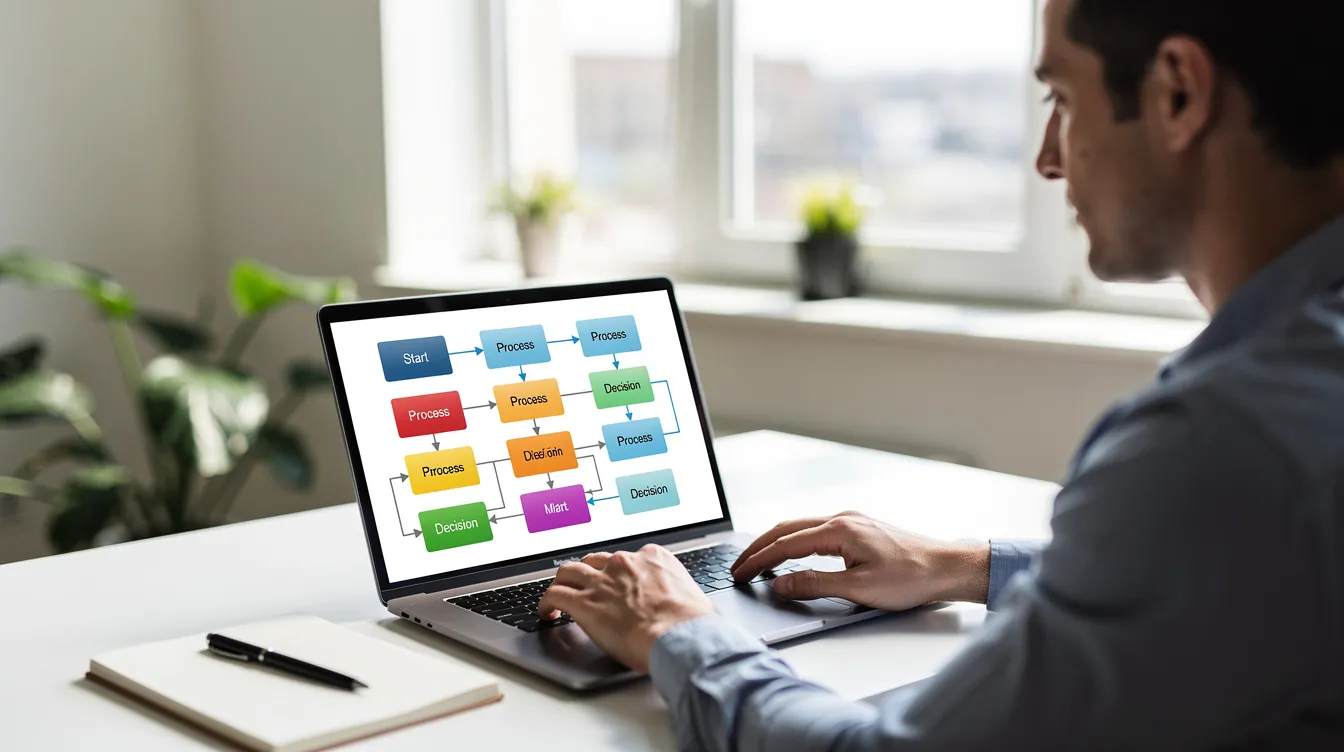
Tools and Techniques: From Pen-and-Paper to AI-Powered Platforms
The right tool depends on where you are in your modeling journey.
Low-tech tools for ideation:
Whiteboards and sticky notes remain effective for early discovery workshops, especially when participants are unfamiliar with BPMN notation.
Spreadsheets and PowerPoint can capture initial process flows and role assignments.
Limitations of manual artifacts:
Hard to keep updated - they become outdated as processes drift.
No direct link to automation or process execution.
No version control, no audit trail, difficult to analyze for performance.
Classic BPM suites:
Traditional platforms offer drag-and-drop BPMN modeling, repositories, simulation, and integration connectors. Common capabilities include collaboration, rule engines, and process mining modules.
Process mining tools can analyze logs to reveal actual workflows compared to intended processes - a critical capability for discovery.
AI-powered platforms:
AI process automation requires clear understanding and modeling of existing workflows. Modern SaaS tools like Vevos go further by converting natural-language input into executable BPMN 2.0 process models. Instead of spending weeks drawing diagrams, you describe the process and let AI generate the initial model.
For a detailed comparison of how Vevos stacks up, see Vevos vs the Alternatives.
Collaboration and governance features to look for:
Real-time co-editing, commenting, and formal approval workflows.
Role-based access control for process documentation.
Model history tracking - who changed what, when, and why.
Process Modeling for Performance Analysis and Simulation
Simulation lets you test "what-if" scenarios before changing live operations. It's one of the most valuable - and most underused - capabilities of business process modeling.
Identifying bottlenecks: Analytical modeling supports finding queue build-ups, resource under-utilization, and over-utilization before they cause real problems. Process modeling helps identify inefficiencies in business operations.
Discrete-event simulation: Tools let you model case arrival distributions, task durations, and branching probabilities. You define how many cases arrive per day, how long each task takes, and what percentage of cases follow each path. The simulation then predicts KPIs like cycle time, throughput, and cost.
Resource constraints and queuing: When you impose limits - three HR coordinators handling onboarding, two IT technicians provisioning equipment - cases queue up. Platforms like Bizagi and ProcessMind let you model these constraints and observe their impact on waiting times and utilization rates.
Practical example: Suppose your HR team plans to double hiring volume in 2027. Simulate what happens with fixed HR staff and limited IT provisioning capacity. The model can quantify how many additional resources you need to allocate resources effectively and meet your onboarding SLA.
From simulation to redesign: Insights drive action - rebalancing workloads, adding parallel tasks, automating decision points, or scheduling tasks differently. After redesign, update the model and deploy. Effective business process modeling supports ongoing improvement and operational efficiency.

Business Process Modeling Across Departments (IT, Sales, Finance, HR, Manufacturing, Healthcare)
One of the strengths of BPMN 2.0 is that the same modeling skillset applies across every department. The concepts transfer; only the context changes. BPM enables organizations to align processes with business objectives regardless of the function.
IT - Incident and Change Management:
Model ticket submission → triage → assignment → troubleshooting → escalation → resolution → closure. The diagram clarifies SLA deadlines, escalation paths, and decision gates for severity levels. Change management follows a similar pattern: request → impact analysis → approval → implementation → verification.
Sales and Commercial Management:
A lead management pipeline - lead capture → qualification → demo → proposal → negotiation → close - reveals handoffs between marketing, SDRs, and account executives. Decision points include lost deals, stalled opportunities, and discount approval flows.
Finance:
Loan processing (application → credit check → underwriting → approval/rejection → disbursement) is a classic example where modeling supports fraud control and compliance. Invoice approvals and expense reimbursement processes benefit from clear decision gates and audit trails.
Human Resources:
New Employee Onboarding, as discussed throughout this article, is one of the most impactful processes to model. Performance reviews are another: goal-setting → mid-year check → self-evaluation → manager review → calibration → final evaluation → feedback. Standardized models improve employee experience and reduce admin overhead for managers and employees alike.
Healthcare:
Patient intake (registration → triage → assessment → diagnostics → treatment plan → billing) requires strict traceability. Training request and approval processes coordinate medical staff, training departments, and finance units - compliance documentation is non-negotiable.
Manufacturing:
A Product Change Request process includes submission → impact analysis (engineering, cost, operations) → risk assessment → approval → implementation → production rollout. Interdependencies and testing requirements make the model more complex, but the BPMN vocabulary handles it.
A platform like Vevos can be applied consistently across all these domains - the same notation, the same collaboration workflows, the same governance layer. One skillset, many applications.
From Process Models to Automation and Multi-Agent Orchestration
The real value of business process modeling emerges when models drive actual process execution. A well-built model isn't just documentation - it's an executable blueprint.
Deploying executable models: An accurate process model can be deployed to automate task assignments, notifications, deadlines, and integrations with other systems (CRM, ERP, HRIS). New processes go from design to operating status faster when the model directly feeds the execution engine.
Multi-agent orchestration: Specialized AI agents handle different subtasks within a modeled process. Vevos Conductor agents can manage data validation, document drafting, routing, and escalation - each agent responsible for its part of the workflow, coordinated by the process model.
Concrete examples:
HR: An AI agent drafts an offer letter, sends it for e-signature, and another agent triggers equipment provisioning - all following the modeled flow.
Finance: An agent pulls credit history and either approves the loan or routes it for manual review based on the business rules in the model.
IT: An agent classifies support tickets, assigns severity, and auto-closes common requests while escalating complex issues.
Natural-language adaptation: With Vevos, stakeholders can describe changes in plain words - "if expense over $500, add VP approval" - and the platform updates the BPMN model and automation logic accordingly. No developer needed.
Governance in automation: Automated execution tied to models enforces business rules consistently and logs every step for later audit. This is innovation that delivers real operational value: consistent procedures, complete traceability, and the ability to analyze every instance.
Collaboration, Governance, and Compliance Around Business Process Models
Modeling is a team sport. Without governance, models degrade, drift from reality, and lose their value.
Process ownership: Each critical business process - payroll, onboarding, customer support - should have a named process owner. This person is responsible for the model's accuracy, its performance, and coordinating updates across stakeholders.
Collaboration workflows: Changes to process models should follow a structured path: propose → review (business, IT, compliance) → approve → version → communicate. This prevents unauthorized modifications and keeps models relevant.
Compliance requirements: Regulated industries require up-to-date models for audits - ISO 9001, SOC 2, HIPAA, GDPR. Linking models to policies and control narratives creates the evidence trail auditors demand. Process models make it easier to adhere to compliance and governance standards.
Tool support: Vevos supports governance with role-based access, model history, formal approvals, and evidence trails. Every change is logged - who changed what, when, and why - giving managers and auditors complete visibility.

Getting Started with Business Process Modeling in Your Organization
You don't need to model the entire enterprise on day one. Here's a practical roadmap for the first 90 days. BPM involves integrating people, systems, and technology - start small and build from there.
Days 1–30: Select and discover
Choose 2–3 high-impact administrative processes as pilots. HR onboarding, invoice approvals, and customer onboarding are common starting points.
Form a small cross-functional team: a process owner, a subject-matter expert with operational expertise, and someone with BPMN or Vevos experience.
Conduct discovery through interviews, shadowing, and gathering existing SOPs and email-based workflows.
Days 31–60: Model and validate
Build as-is BPMN diagrams. Identify pain points, decision gaps, and missing exception flows.
Design to-be models after stakeholder review. Simulate key changes to estimate improvements in cycle time and cost.
Leverage AI-powered tools like Vevos to develop initial diagrams from existing SOP documents within days instead of months.
Days 61–90: Automate and measure
Deploy pilot processes via a BPM platform. Instrument KPIs: cycle time, error rates, throughput.
Embed governance: versioning, approval workflows, documentation standards.
Communicate results to the organization. Build the internal case for scaling to new processes.
Establishing a lasting practice:
Maintain a central repository for all process models with shared naming conventions and style standards.
Schedule quarterly reviews to ensure models reflect actual operations - process drift is the silent killer of modeling efforts.
Foster a culture of continuous improvement: encourage suggestions, make iteration easy, celebrate efficiency gains.
BPM aims to improve business performance by streamlining processes. The gap between where your organization is and where it could be often comes down to visibility. Process modeling gives you that visibility.
Start with two or three processes that matter most, model them clearly, and let AI handle the heavy lifting. If you're ready to define, create, and optimize your workflows without waiting on developers or wrestling with complex tools, try Vevos and turn plain-language descriptions into professional, executable BPMN 2.0 process models today.
Related blog posts
- BPMS Free: How to Start Business Process Management Without Paying a Cent — BPMS Free: How to Start Business Process Management Without Paying a Cent
- BPMN Example: From Simple Hello World to Real-World Process Diagram — BPMN Example: From Simple Hello World to Real-World Process Diagram
- Business Process Notation Symbols: A Practical Guide to BPMN Diagrams — Business Process Notation Symbols: A Practical Guide to BPMN Diagrams